 By Clara WinslowChocolate, confectionery trends, sensory evaluation
Bally Watch QC Images Missing: What to Check
If your Bally order has entered the QC page but you don't see the corresponding images, don't immediately label the "empty images" as a product quality issue, nor hastily confirm receipt or resubmit the order. A safer approach is to first verify the product identity and order chain, then document the page evidence, and finally decide whether to contact the Agent based on whether the entry point is valid. 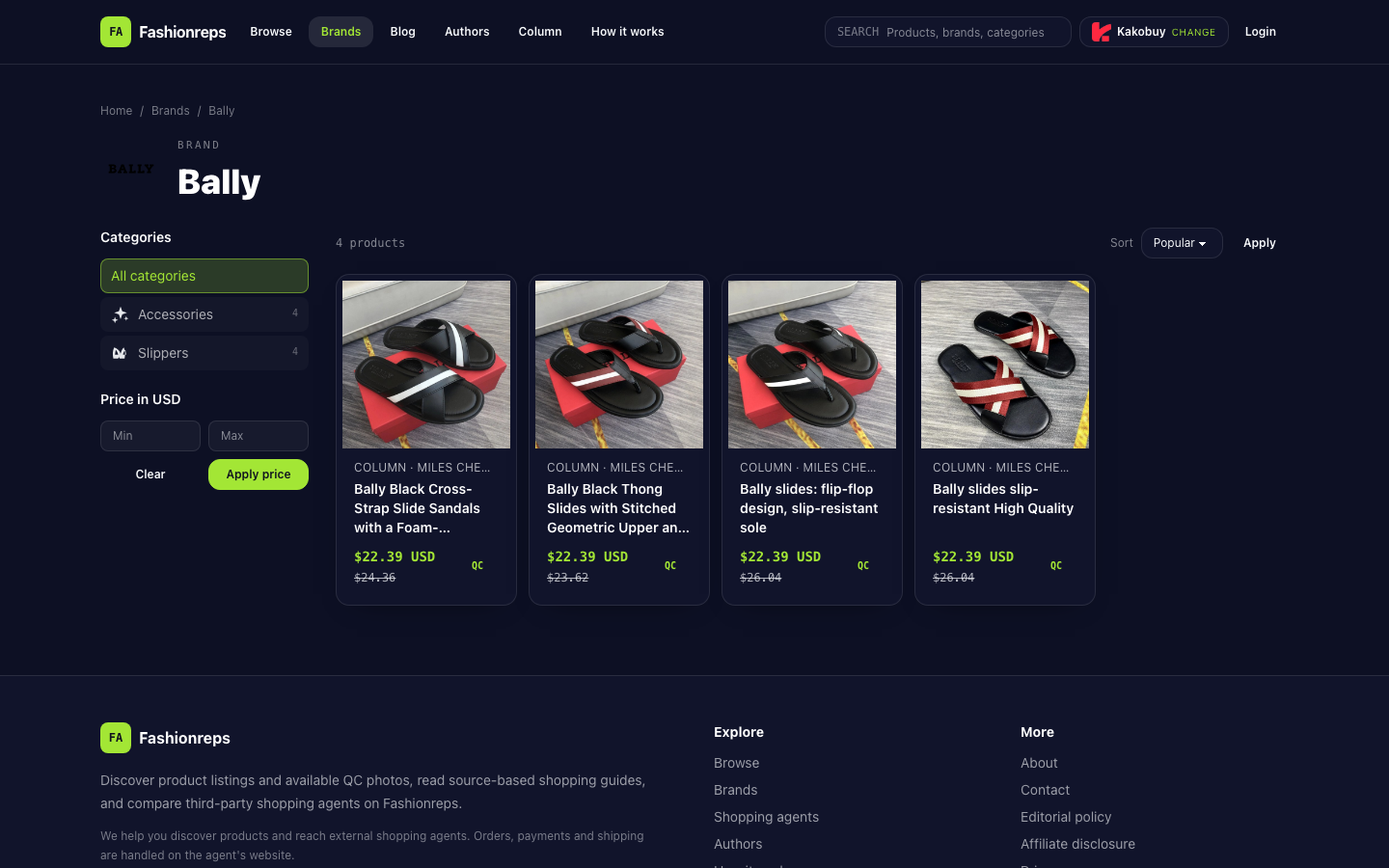
If your Bally order has entered the QC page but you don't see the corresponding images, don't immediately label the "empty images" as a product quality issue, nor hastily confirm receipt or resubmit the order. A safer approach is to first verify the product identity and order chain, then document the page evidence, and finally decide whether to contact the Agent based on whether the entry point is valid.

First, confirm you're looking at the same product
After opening the order details, check the following:
- The product name matches the Bally watch you ordered.
- The product link, order number, or product ID corresponds to the same order.
- The color, dial style, strap, or other selected variants match.
- The page still shows the correct product thumbnail, quantity, and price.
Fashionreps' Bally brand page currently displays the Bally product catalog, which includes shoes, and cannot alone prove that a specific watch order has generated QC images. Therefore, the brand page can only be used to verify the original product entry point, not as a substitute for order details or QC page evidence.
Check order status and QC entry in sequence
It's recommended to troubleshoot step by step based on order status rather than repeatedly refreshing an empty gallery.
1. Check if the order has reached the stage where QC can be viewed
Confirm whether the order status, warehouse status, or inspection status has changed. If the order is still in purchase, awaiting seller shipment, in transit to warehouse, or being processed for storage, the temporary absence of QC images does not mean the images are lost. The specific status names should be based on the text displayed on your current order page.
If the page does not clearly state that the order has completed inspection, do not infer that images have been generated just because a QC-related button appears.
2. Check the View QC Photos entry point
If the page shows "View QC Photos" or an equivalent viewing entry, first confirm whether it opens properly:
- Does clicking it redirect to an image page matching the current order?
- Does the redirected page display the order number, product name, or other verifiable information?
- Is the page blank, continuously loading, or showing an image-not-found message?
- Can you see image thumbnails but the full images fail to open?
An entry that opens but has an empty gallery is different from a non-functional entry. When contacting the Agent, describe them separately to help identify order association or page loading issues.
3. Rule out page loading issues
Without resubmitting the order, you can perform limited page checks:
- Reopen the order details page and then enter the QC page.
- Confirm the current login account matches the ordering account.
- Check the network connection and wait for the page to fully load.
- If using browser cache, translation plugins, or content blockers, temporarily disable them and recheck.
- Take screenshots of blank galleries, loading failures, or error messages.
If only full images fail to load, but thumbnails, order number, and product identity all correspond, describe it as an image loading anomaly, not a product defect.
Use evidence to decide the next step
You can categorize the situations into three types:
| Page situation | What can be confirmed at present | Recommended action |
|---|---|---|
| QC entry does not exist | Can only confirm no usable entry is visible on the current page, cannot confirm whether inspection is completed | Check order status, save page screenshot and time |
| Entry opens but images are empty | QC page and order entry may be related, but no images are currently visible | Pause confirming receipt, contact Agent to verify if images are generated or need to be re-associated |
| Images visible but order or product identity mismatched | Correspondence between images and current order cannot be confirmed | Do not judge quality based on these images, immediately ask Agent to verify order number and product association |
The word "may" in the table does not mean the platform has experienced the corresponding failure. It only helps you distinguish between observed page phenomena and information still needing confirmation.
Provide all this information when contacting the Agent
If the QC entry is invalid, images remain empty, or images don't match the order, stop repeated clicking and resubmitting, and switch to contacting the official support channel of the actual ordering Agent. Since current materials don't provide a specific Agent's official customer service link, do not treat third-party pages or brand catalogs as official support entries; access customer service from your order platform, account backend, or its official help center.
When submitting the issue, include:
- Order number and product ID.
- URL of the Bally product details page or order details page.
- Variant information such as selected color, style, quantity.
- Current status text shown on the order.
- QC page URL or location of the "View QC Photos" entry.
- Page screenshots, screenshot time, and time zone.
- Full text of blank gallery, loading failure, or error message.
You can directly state: I cannot see images corresponding to this order on the QC page, please verify that the order and QC images are correctly associated; if images have not been generated, please confirm whether supplementary QC images can be provided or advise on next steps. This is more helpful than just sending "no images" for customer service to verify the specific order.
When to pause actions
Pause irreversible actions like confirming receipt, abandoning after-sales, or continuing payment when any of the following occurs:
- The product name or variant shown on the page does not match the actual order content.
- QC images are empty and cannot confirm whether inspection is completed.
- QC images exist but lack order number or other information proving they belong to the current order.
- The viewing entry redirects to the wrong order, an invalid page, or keeps loading.
- The Agent has not confirmed whether images are generated, the reason for missing, and whether supplementary images can be provided.
"No QC images" only indicates a current lack of visible inspection evidence; it cannot determine the watch's authenticity, quality pass, or quality fail. If the Agent cannot provide corresponding images or explain the order association, keep screenshots and communication records, and wait for a clear response before deciding whether to continue the order process.