 Par Clara WinslowChocolate, confectionery trends, sensory evaluation
Casablanca Coupon Stacking Checks
Clarify the Single Decision to Resolve When Choosing a Casablanca Coupon If you're planning to buy Casablanca styles, the real question to resolve first isn't "is there a coupon available?" but whether a specific coupon applies to the style, quantity, and package you've selected, and whether it can actually be applied at checkout. This article aims to help you complete a documented verification before payment, to decide whether to proceed with checkout, ask your shopping agent for additional
- Publié le
- Mis à jour le
Clarify the Single Decision to Resolve When Choosing a Casablanca Coupon
If you're planning to buy Casablanca styles, the real question to resolve first isn't "is there a coupon available?" but whether a specific coupon applies to the style, quantity, and package you've selected, and whether it can actually be applied at checkout. This article aims to help you complete a documented verification before payment, to decide whether to proceed with checkout, ask your shopping agent for additional information, or delay ordering. 🧾
This verification date is October 19, 2026. Current available information confirms that Fashionreps provides Casablanca product discovery and QC image browsing, and refers purchase, payment, and logistics to an external shopping agent of the user's choice; current information does not provide independently verifiable real-time coupon codes, discount amounts, validity periods, or stacking rules. Therefore, this article does not promise any discounts, nor does it treat QC information on product pages as proof of checkout discounts.
This method does not apply to past promotions, private coupons only available in specific agent backends, discounts that require login and cannot be re-verified on the checkout page, or discounts verbally promised by platform customer service without order page records. 🔎

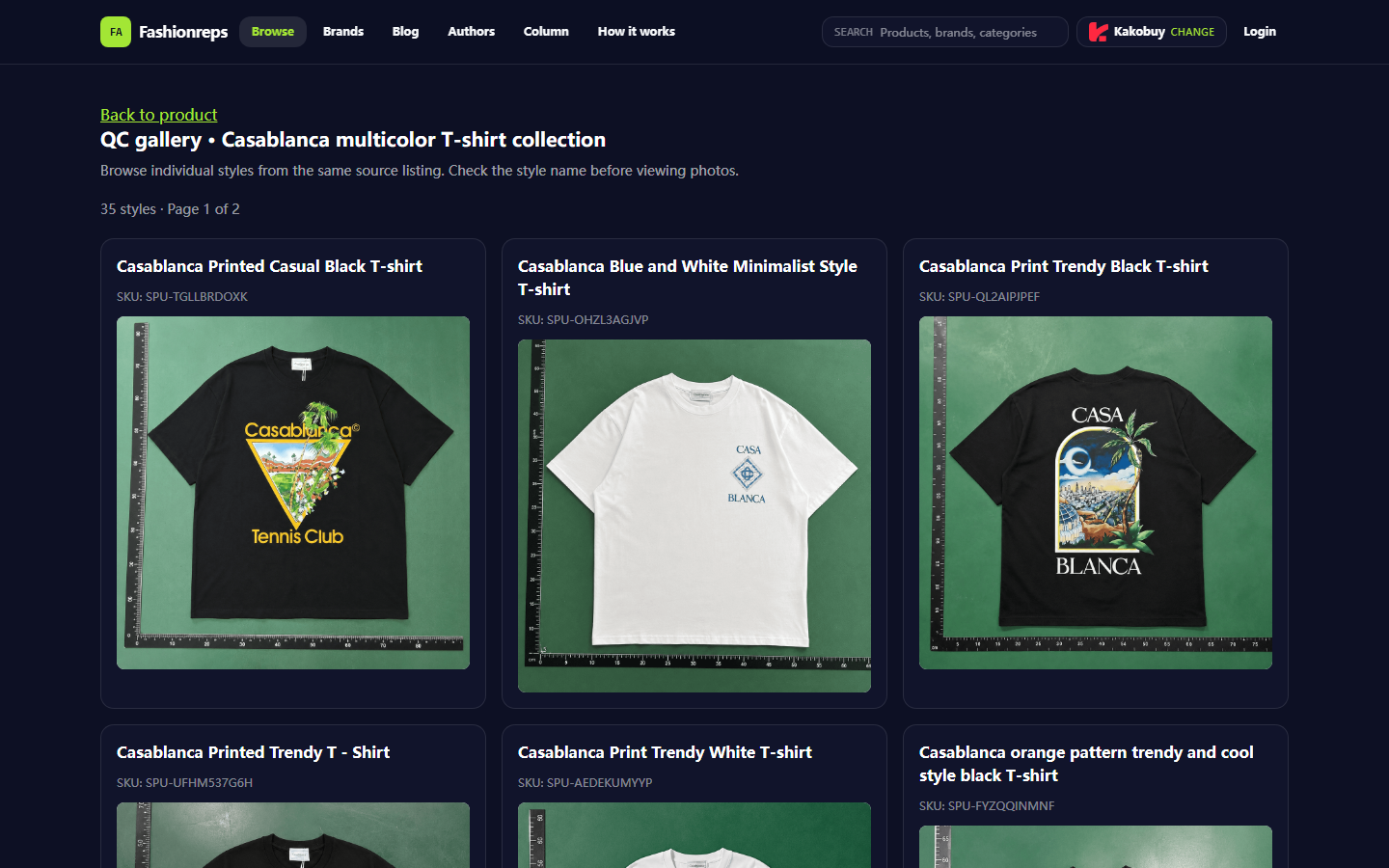
Image: QC image catalog of Fashionreps Casablanca product collection, used to verify style names and SKUs, not representing current price, stock, or coupon eligibility.
Fix the Style, Color, Size, and Current Visible Information on the fashionreps Product Page
Fashionreps' Casablanca multicolor T-shirt collection page shows multiple independent styles under the same source, and requires confirming the style name before viewing QC images. Page-visible information includes style names and SKUs, such as Casablanca Printed Casual Black T-shirt, Casablanca Blue and White Minimalist Style T-shirt, and other black, white, and colorful printed styles; the page summary indicates the collection has 35 styles.
Before ordering, record the following in your verification notes:
- Full style name and SKU
- Color, and whether the page treats color as a separate style
- Size and size selection location
- Price, stock, or purchase availability shown on the page
- Whether the QC page indeed corresponds to the selected style, not another item in the same collection
- Recording time and page status
Do not assume that all styles share price, stock, coupon eligibility, or return conditions just because the product name contains Casablanca. The collection page can help you locate products, but it cannot replace the applicability judgment in the agent's cart and checkout page.
Find and Record Coupon Acquisition Method, Validity Period, and Applicability Notes
Currently there are no verifiable official coupon codes or real-time discount information, so you should first look for available coupons in the shopping agent account you actually use. Common locations include the account coupon center, promotion pages, coupon prompts after adding items to cart, and the available coupon list on the checkout page. For each coupon you see, save its complete description, not just "how much off."
At least record the following fields:
- Coupon name or system-generated identifier
- Acquisition method: direct claim, promotion gift, first-order eligibility, or account exclusive
- Start time and end time, and confirm the time zone
- Minimum spending amount and how it is calculated
- Applicable products, brands, shops, agent routes, or warehouse scope
- Whether it requires a specific payment method, membership level, or new user status
- Whether it can be combined with platform promotions, product discounts, shipping discounts, or balance
- Final discount amount displayed on the checkout page
If the description only says "some products applicable" or "subject to checkout page," that is not confirmed eligibility. It only means further verification in the cart or checkout page is needed. ⚠️
Verify Amount Threshold, Product Quantity, and Package Scope
The coupon's amount threshold usually cannot be judged solely by the product detail page price. First confirm how the agent system calculates the threshold: is it product subtotal, product plus domestic shipping, warehousing service fee, or order total including international shipping? Different calculation methods directly affect whether the threshold is met.
Follow this order for verification:
- Add the target Casablanca style to the cart, and confirm that product quantity, color, and size haven't been reset by the system.
- Record the product subtotal and other fees shown on the page, distinguishing product amount, domestic shipping, service fee, and international shipping.
- Open the coupon description, and confirm whether the threshold excludes sale items, designated brands, shops, or certain product categories.
- Check whether the coupon is calculated per order, per package, per item count, or per checkout.
- If planning to combine packages, confirm whether the coupon applies to the combined package after warehouse consolidation, or only to the product purchase order.
- After changing quantity or removing uncertain items, re-observe whether the coupon disappears, and save the before and after amounts.
Don't blindly add products just to meet the threshold. Extra items may bring higher package value, volumetric weight, customs documentation requirements, and return risks, and the coupon amount may not cover the added expense. 📦
Check Whether the Coupon Allows Stacking with Other Discounts or Service Conditions
"Available" does not mean "stackable." You need to confirm the following combinations both in the coupon description and on the checkout page:
| Combination to check | Desired confirmation | If unconfirmed, handle as |
|---|---|---|
| Product discount and coupon | Whether the discounted amount still meets the threshold | Recalculate based on actual checkout page amount |
| Coupon and shipping discount | Whether shipping discount is calculated separately, or mutually exclusive | Do not count shipping discount as part of product coupon savings |
| Multiple product coupons | Whether only one can be selected, and if there is priority | Calculate based on the one actually applied by the system |
| Account balance or payment promotion | Whether it changes the discountable amount or payment terms | Record final payable amount, do not double count |
| Package consolidation or warehousing service | Whether the coupon covers warehouse or package service fees | List service fees separately for verification |
If the system shows multiple selectable coupons, do not assume they all stack. Select each one individually and record the final payable amount, package fees, and restrictions for each scenario. The true comparison is total cost before payment, not the face value on the coupon label.
Compare Discount Display and Payable Fields Between Cart and Checkout Page
Before checkout, you should at least see clear product subtotal, coupon name or code, coupon amount, shipping or service fee, tax or other applicable fees, and final payable amount. If any field is missing, treat the missing field as not zero, and never treat an estimated amount as the final amount.
Recommended evidence to keep:
- Style, color, size, and quantity from product detail page or cart
- Threshold, expiry, and exclusions from coupon description
- Cart amounts before and after coupon application
- Coupon name and discount amount shown on checkout page
- Whether the coupon still exists after changing package or logistics option
- Time of screenshot, and redact order number, address, phone, payment info, and account sensitive data
If the cart shows a coupon but the checkout page removes it, the checkout page should take precedence as the pre-payment state. If the checkout page shows a discount but lacks explanation of applicable scope or conditions that may change later, pause payment and confirm with the agent.
How to Preserve Uncertainty When the Page Lacks Real-Time Rules
When the product page, cart, or checkout page lacks real-time coupon rules, article and order records should explicitly state "unverified," not "no discount" or "can be used." The current visible Casablanca QC page supports preliminary identification of styles and SKUs, but cannot support the following conclusions:
- There exists a currently usable coupon code
- All Casablanca styles can use the same coupon
- A specific coupon definitely supports multiple items or package consolidation
- The coupon can definitely be stacked with shipping, service fees, or other promotions
- The estimated savings shown on the checkout page will not change in the end
You can ask your shopping agent specific questions, such as: "Does this coupon apply to this SKU, this quantity, and the current package plan? Is the threshold calculated on product subtotal or order total? Can it be used with shipping discounts? What final discount will the checkout page show?" Specific questions are more likely to yield verifiable answers than vague inquiries like "any discounts?"
Keep Verification Evidence and Decide to Proceed, Ask, or Delay
After completing verification, handle according to three outcomes:
- Proceed: product information, coupon eligibility, stacking relationships, and final payable amount are clearly displayed on the checkout page, with no unexplained exclusions.
- Ask before deciding: coupon name is visible, but threshold, package scope, service fees, or stacking conditions are still unclear.
- Delay ordering: no verifiable real-time rules, checkout page does not show actual discount, or discount amount depends on unconfirmable future conditions.
Savings should be calculated based on final payable amount before and after checkout, not based on coupon face value. Using package consolidation may reduce duplicate first weight or some operational costs, but may also increase package value, volumetric weight, and single loss risk; adding items to meet the threshold may bring higher return and customs risks. This approach is suitable for buyers who have already determined they need these items, can keep checkout evidence, and accept package risk changes. It is not recommended to buy unneeded items just to claim a coupon, nor to pay when coupon eligibility, final payable amount, or package applicability are not clearly shown. ✅