 By Clara WinslowChocolate, confectionery trends, sensory evaluation
Stussy Hoodie Coupon Not Applied: Checks
When buying Stussy fall/winter hoodies, a coupon not automatically deducting does not necessarily mean a system error. Common reasons include the order amount not meeting the threshold, the item or brand being excluded, the coupon being expired, the offer not being applied to the current cart, or the discount only showing on the checkout page. This article only provides verification methods and does not provide coupon codes, discount percentages, or savings pr
- Published
- Updated
When buying Stussy fall/winter hoodies, a coupon not automatically deducting does not necessarily mean a system error. Common reasons include the order amount not meeting the threshold, the item or brand being excluded, the coupon being expired, the offer not being applied to the current cart, or the discount only showing on the checkout page. This article only provides verification methods and does not provide coupon codes, discount percentages, or savings promises that have not been confirmed by the current official page. 🧾
What to Check When a Stussy Hoodie Discount Doesn't Apply
The specific task you need to complete is: confirm whether the current item meets the conditions for using the offer, and determine whether the problem occurs at the item selection, coupon rules, cart, or checkout stage.
After verification, you should be able to make a clear decision: continue to checkout, adjust the order and re-check, or stop using the coupon and save evidence to wait for platform support.
If the page does not display the current valid offer name, usage conditions, validity period, and scope of application, you should not judge that the current order can be discounted based on old screenshots, search result summaries, or coupon codes shared by others. ⚠️

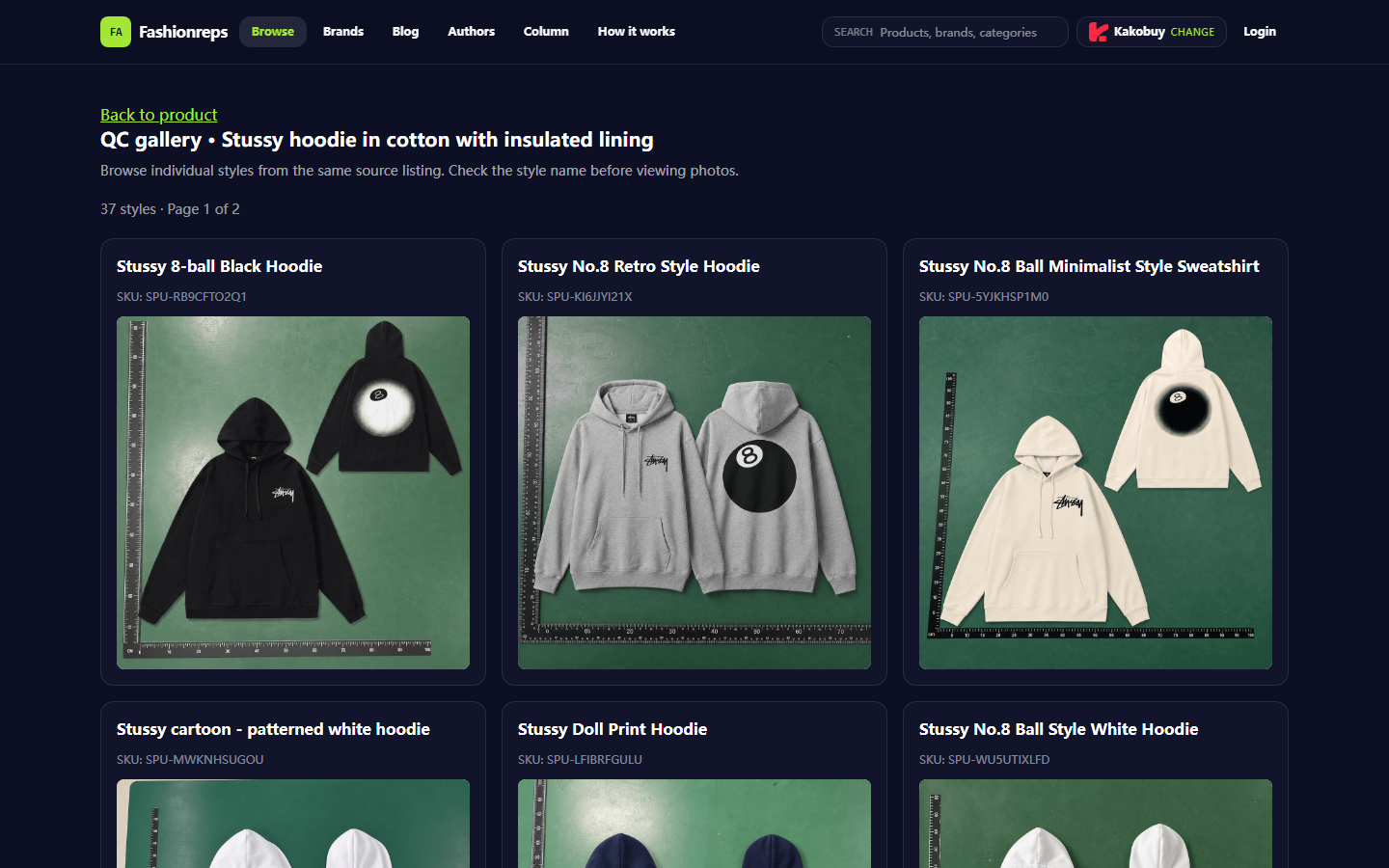
Image: Stussy hoodie style entry on the Fashionreps product info page. The information in the image is for identifying the product and style, and does not represent that a current valid offer is available.
Confirm Product, Color, Size, and Current Page Information from the Fashionreps Product Page
First, return to the corresponding product info page on Fashionreps to confirm that you have selected the target Stussy hoodie, not other styles from the same source. The current info page displays multiple Stussy styles and SKUs, and the page also prompts users to check the specific style name before viewing QC photos.
Record the following information:
- Product name or style name displayed on the page
- SKU or product identification code
- Color
- Size
- Material, lining, or other product descriptions displayed on the page
- Price, stock status, and page update time displayed on the product page
- Which shopping agent you intend to use to enter the purchase process
Fashionreps is responsible for product discovery, info display, and QC information organization; orders, payment, and international shipping are usually handled by external shopping agents selected by the user. Therefore, product information on the Fashionreps page cannot automatically prove that the external agent currently offers the same discount. 🧵
If the product name, color, size, or price changes after clicking the product link, you should stop judging the discount and re-confirm the actual item in the external agent's cart.
Record the Coupon Entry, Validity Period, Threshold, and Applicable Conditions
Only use official offer entries that can be opened in the current purchase process and display the rules. Record where the coupon appears, such as in the cart, account offer center, campaign page, or checkout page, and save page screenshots or order draft information containing the rules.
At least check the following fields:
- Offer name or coupon code
- Whether login, account binding, or new user conditions are required
- Start and end times, and the time zone used
- Minimum order amount and currency
- Whether it is restricted to countries, regions, warehouses, routes, or payment methods
- Whether it is restricted to specific product brands, categories, stores, or campaign items
- Whether it can be combined with other offers
- Whether the discount only applies to the item amount
- Whether manual selection or confirmation is required on the checkout page
If the page only shows promotional text like "claimable", "limited-time event", or "up to discount" without clear actual applicable conditions, it cannot be considered a discount that is definitely available for the current order. 📌
Distinguish Brand Exclusions, Category Exclusions, and Insufficient Order Amount
When the coupon does not deduct, you should rule out items one by one according to the rules, rather than repeatedly submitting the order immediately.
Insufficient Order Amount
First confirm whether the offer threshold uses the item subtotal, cart subtotal, or a total including other fees. Different systems may exclude shipping, service fees, packaging fees, taxes, or other surcharges. You cannot judge that the threshold has been met based solely on the final order total.
If the threshold is displayed in US dollars or another foreign currency, the actual currency and amount used on the checkout page should be used. The converted amount on the bank card statement cannot replace the platform order amount, because exchange rates, fees, and posting times may cause differences.
Brand Exclusions
Some offers only apply to specified brands or regular items and may exclude Stussy or other brand items. When the rules contain text such as "brand exclusions", "excludes specified brands", or "not applicable to some brands", that clause shall prevail.
Do not assume that the Stussy item has actually received a discount just because the coupon can be claimed or the cart shows an "applied" prompt. Ultimately, you still need to check whether the item subtotal and discount details have changed.
Category Exclusions
Hoodies may be classified under apparel, tops, campaign items, or special categories. If the offer terms exclude promotional items, specific categories, clearance items, or certain products, a single hoodie may not be eligible even if other regular items can use the offer.
Account, Region, or Payment Restrictions
New user coupons, region-specific coupons, designated payment method coupons, and designated shipping route coupons may be visible when claimed, but the conditions are only verified at checkout. Such restrictions should be re-confirmed in the current account and current order, and screenshots from other accounts or other people's success cannot be used as evidence.
What Fields to Check on the Cart Page vs. Checkout Page
The cart page is mainly used to confirm items and amount composition. Check item quantity, style, size, color, item subtotal, offer entry, and whether any exclusion prompt appears.
The checkout page is mainly used to confirm whether the offer actually affects the order amount. Check the original item amount, discount amount, service fee, packaging fee, international shipping, taxes or other fees, and the final amount due.
If the cart shows the offer as applied, but the discount amount on the checkout page is zero, or the final amount due has not changed, the checkout page shall prevail, and evidence from both pages should be retained. Do not assume a discount has been applied just because the button color, prompt text, or coupon status label has changed.
Payment should be paused in the following situations:
- The discount name is displayed, but the discount amount does not appear
- The order amount change cannot be explained
- Coupon rules displayed on the cart and checkout pages are inconsistent
- The checkout page requires re-selecting an offer, but there are no selectable items on the page
- The final fee details cannot be seen before payment
- After the order is split, the original threshold or applicable conditions cannot be confirmed
Verification Boundaries for Whether Service Fees, Packaging Fees, and International Shipping Count Toward the Offer
Do not assume by default that service fees, packaging fees, international shipping, or taxes can be counted toward the offer threshold, nor assume that the offer can deduct these fees. Only when the current offer terms clearly state the scope of application can the corresponding fees be included in the judgment.
A more reliable recording method is to break the order into parts:
- Item subtotal
- Discount
- Shopping agent service fee
- Storage, inspection, or packaging-related fees
- International shipping fee
- Taxes or customs-related fees
- Other platform surcharges
- Final amount due
If the offer only applies to the item subtotal, the item amount may decrease, but the final payment amount may still increase due to service fees, international shipping, or taxes. In this case, do not interpret a less obvious decrease in the final total as the offer being invalid, and do not claim that all fees have received a discount.
Customs clearance and taxes may also be determined by destination country rules, shipping routes, and declaration methods. Do not underdeclare value, split orders to evade inspection, or bypass import restrictions in order to get a discount. 🚚
When to Stop Judging if No Current Offer Information Is on the Page
If the current page does not have clear offer rules, or only shows expired campaigns, old dates, unopenable entries, and promotional copy without applicable conditions, you should stop making judgments and not calculate the discount amount on your own.
You can take the following actions:
- Record the access date, destination country, currency, account status, and selected agent.
- Save page evidence related to amounts and offers from the product page, cart, and checkout page.
- Delete coupons whose applicable scope cannot be confirmed, and do not let old coupons affect the final payment judgment.
- Check available offers in the current account's offer center, rather than copying coupon codes shared by third parties.
- If you still have questions about the amount, ask the shopping agent that actually collects payment for the rules and keep their reply.
- Before obtaining clear rules, do not write the expected discount into your budget, and do not mark the item as "discounted".
If customer service can only confirm "you can try" but cannot explain the threshold, exclusions, validity period, and checkout performance, the offer still cannot be considered verified.
Evidence Retention and Final Action Checklist Before Ordering Stussy
Before ordering, save a brief record to ensure that in case of price disputes later, you can distinguish between product changes, offer rule changes, and fee changes.
It is recommended to save at least:
- Product name, SKU, color, and size
- Price displayed on the product page and page date
- Coupon name, rules, validity period, and applicable conditions
- Cart item subtotal and offer status
- Discount amount and final fee details on the checkout page
- Destination country, currency, and selected shipping route
- Order draft from the external shopping agent or customer service reply
The final action can be decided according to the following criteria:
- If the rules are clear, the item meets the conditions, and the discount amount actually appears on the checkout page, you can continue to check the shipping address, payment method, and shipping fee before placing the order.
- If only the order amount is short, recalculate the actual additional expense of adding items, and do not buy unnecessary items just to get a small discount.
- If the item or brand is excluded, do not repeatedly enter the same coupon code; look for official offers applicable to the current order or evaluate the price without a discount.
- If the page information conflicts, the discount amount is zero, or the final fees cannot be explained, pause payment and verify with the actual payment platform.
- If there is no currently verifiable offer information, decide whether to buy based on a no-discount budget, and do not count the expected savings as a benefit.
A so-called discount plan is only meaningful after the exact savings are clear, while also considering new conditions, the risk of losing other offers, and changes in service fees and shipping. It is more suitable for users who already need to buy the item, can meet clear thresholds, and are willing to check the settlement amount item by item; it is not suitable for adding unnecessary items to meet thresholds, or for those who cannot confirm brand exclusions, validity periods, and final fees. ✅