 By Clara WinslowChocolate, confectionery trends, sensory evaluation
Prada White Sweater Shipping Cost Guide: Checkout & Weight
First, treat this Prada white sweater as a single package to be verified, and do not estimate the final cost without destination, weight, and shipping route information. The corresponding QC page on Fashionreps currently shows a white turtleneck sweater and a turtleneck sweater with a Prada pattern, with SKU SPU-8ACKCFCOWA and a QC photo entry. Purchasing, payment, and logistics are handled by the selected shopping agent's webs
- Published
- Updated
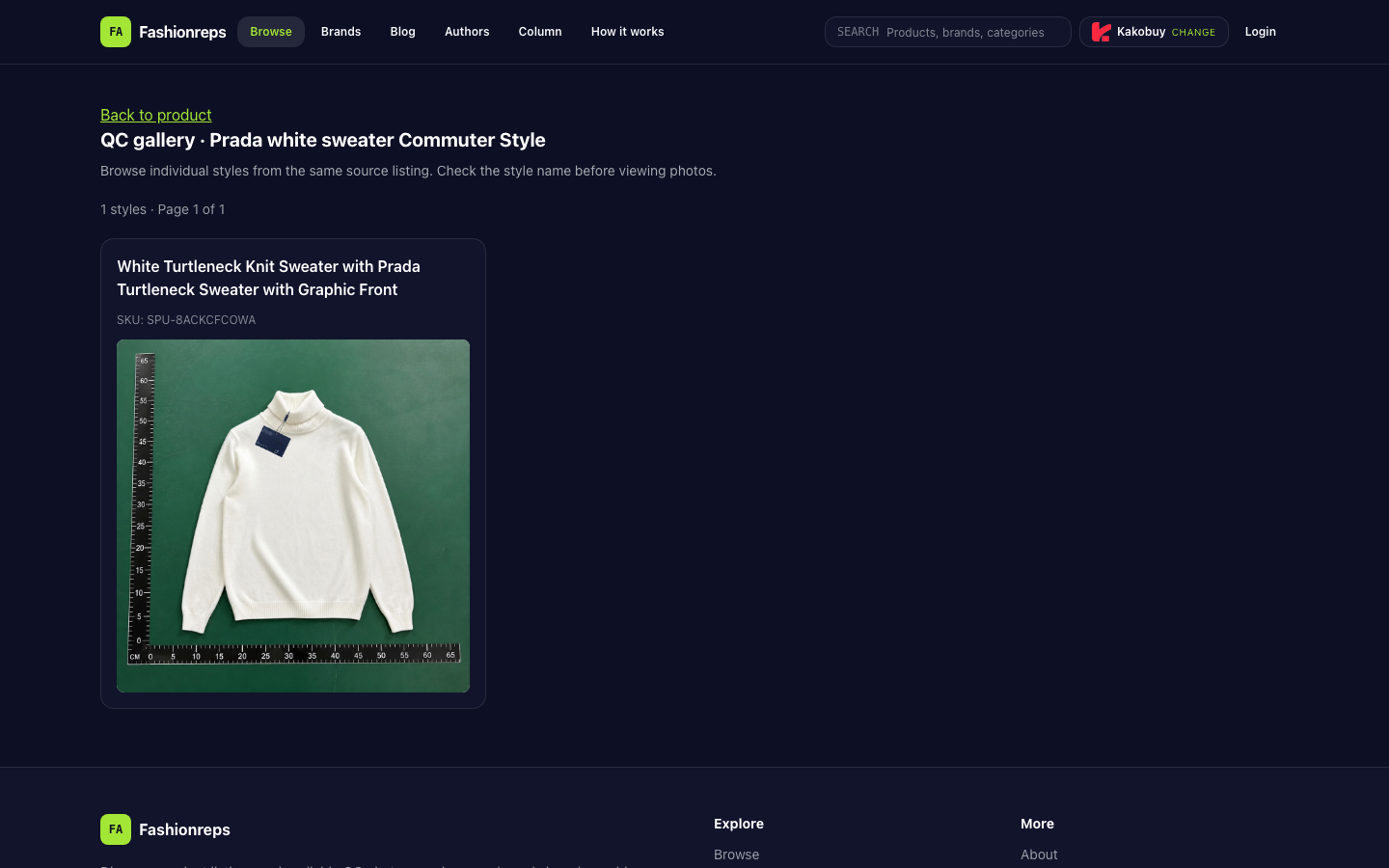
First, treat this Prada white sweater as a single package to be verified, and do not estimate the final cost without destination, weight, and shipping route information. The corresponding QC page on Fashionreps currently shows a white turtleneck sweater and a turtleneck sweater with a Prada pattern, with SKU SPU-8ACKCFCOWA and a QC photo entry. Purchasing, payment, and logistics are handled by the selected shopping agent's website, so shipping costs and checkout amounts must be based on the agent's current page.
Confirm the Product Record First
Open the product page or QC page and record the following information:
- Product name: Prada white sweater
- Specific variant: Confirm whether it is a white turtleneck sweater or a turtleneck sweater with a Prada pattern
- SKU: SPU-8ACKCFCOWA
- Product page or QC page URL
- Date and time of query
- Currently selected shopping agent
The key here is to avoid mixing settlement information from different variants, source links, or agents. Existing QC evidence confirms the page and style information, but cannot confirm product price, inventory, material, size compatibility, or final purchase availability. Therefore, if the product page does not show current availability, it should not be considered an in-stock recommendation based solely on the QC page.

Record the First Set of Amounts on the Checkout Page
After selecting an agent, go to the agent's website from the product page and record amounts item by item on the order submission or checkout page. Do not save only a "total" because you will need to know the source of each fee for later verification.
It is recommended to create records in the following order:
| Item | What to record | Current evidence status |
|---|---|---|
| Product price | Product amount, currency, and quantity shown on checkout page | Must be based on current agent checkout page |
| Payment fee | Whether a separate handling fee, payment channel, and currency are listed | No current value; cannot be estimated |
| Service fee | Whether the agent lists a service or purchasing fee | No current value; cannot be estimated |
| Packaging fee | Whether packaging options, reinforcement, or repackaging are offered | No current value; cannot be estimated |
| Storage or handling fee | Whether storage, warehousing, or processing fees appear | No current value; cannot be estimated |
If the page only shows a total without a breakdown, record the total as is and note "not itemized." Do not allocate the total among product price, service fee, or payment fee on your own.
Also save a screenshot of the checkout page or order details. The screenshot should include currency, amounts, quantity, destination country or region, and time information shown on the page; without these, it will be difficult to determine later whether the amounts belong to the same query.
Then Check the Official Shipping Calculator
The product checkout amount is not the final amount to ship home. Before submitting an international package, you should re-query the agent's official shipping calculator and record the conditions:
- Destination country, region, or postal code.
- Number of items in the package.
- Selected shipping route name.
- Estimated actual weight, or the weight required by the system.
- Length, width, height, or volumetric information if the calculator requires it.
- Whether the billable weight uses actual weight, volumetric weight, or the greater of the two.
- Currency, shipping cost, and additional conditions shown at query time.
- Query time and validity period of the quote, if stated on the page.
Only when the calculator provides both specific conditions and amounts can you write the value into the cost record. If the page only shows the route name without a current quote or without explaining the billable weight, you can only record "to be calculated" and cannot substitute with other orders' prices.
Distinguish Actual Weight, Volumetric Weight, and Final Billable Weight
Actual weight is the actual weighed weight of the package; volumetric weight is calculated based on the package's outer dimensions and route rules. The final billable weight may be determined by route rules, commonly based on actual weight, volumetric weight, or the greater of the two. However, the specific rule must be based on the current agent's and route page's description, and cannot be applied from general experience.
Even with only one sweater, do not assume that the clothing's light weight is the final billable weight. Packaging materials, outer box dimensions, and whether to remove original packaging can all affect the calculator result. After submitting the package, if the agent provides actual weighing or re-verification results, save them as new evidence and note whether they have affected the final shipping cost.
Build a Traceable Cost Record
You can save the verification results using the following fields:
- Product identification: Name, variant, SKU
- Product evidence: Product page or QC page, screenshot, query time
- Agent information: Agent name, order number or checkout page number
- Destination: Country, region, postal code
- Product amount: Value, currency, whether tax included
- Payment fee: Value, currency, conditions
- Service fee: Value, currency, conditions
- Packaging fee: Packaging option, value, currency
- Billing basis: Actual weight, volumetric weight, or greater
- Weight and dimensions: Value, unit, source
- Route shipping cost: Value, currency, route name
- Taxes: Whether included, who collects, and page description
- Exchange rate: Source used, query time, and conversion direction
- Unconfirmed items: Questions still to ask the agent
When converting amounts, always keep the original currency and amount, then record the converted amount separately. Without a clear exchange rate source and time, do not present the conversion as a precise final cost.
What to Ask the Agent Further
If the checkout page or calculator is unclear, focus on these questions:
- Is the current product variant still available for ordering, and where is the inventory status confirmed?
- Does the checkout amount already include payment handling fees and agent service fees?
- Will packaging fees change after warehousing and weighing?
- Is shipping cost calculated by actual weight, volumetric weight, or the greater of the two?
- Does the calculator quote include fuel, remote area, or other surcharges?
- Are taxes included in the shipping cost, or paid separately by the recipient?
- If actual weight or dimensions change after payment, how is the difference handled?
- What are the destination, route, and validity time for the current quote?
When asking, include the order number, destination, quantity, and calculator screenshot to avoid generic responses.
Criteria Before Finalizing
When the product page, checkout page, and shipping calculator records correspond, you can judge whether the cost record is complete:
- Product page or QC page confirms the specific variant and SKU.
- Checkout page confirms product amount and listed fee items.
- Shipping calculator confirms destination, route, weight or dimension conditions.
- Original currency, query time, and page limitations are saved.
- Fees not shown are not added by yourself.
- Unconfirmed taxes, surcharges, or final weighing are listed separately.
Currently verifiable public evidence is mainly the QC page, style name, and SKU; no current product price, destination, billable weight, route quote, taxes, or exchange rate data is provided. Therefore, this recording method helps buyers establish a verification chain, but cannot be used to derive a fixed total, fixed shipping cost, or fixed transit time. The final amount should be based on the selected agent's current display at the current destination and under current checkout conditions.